

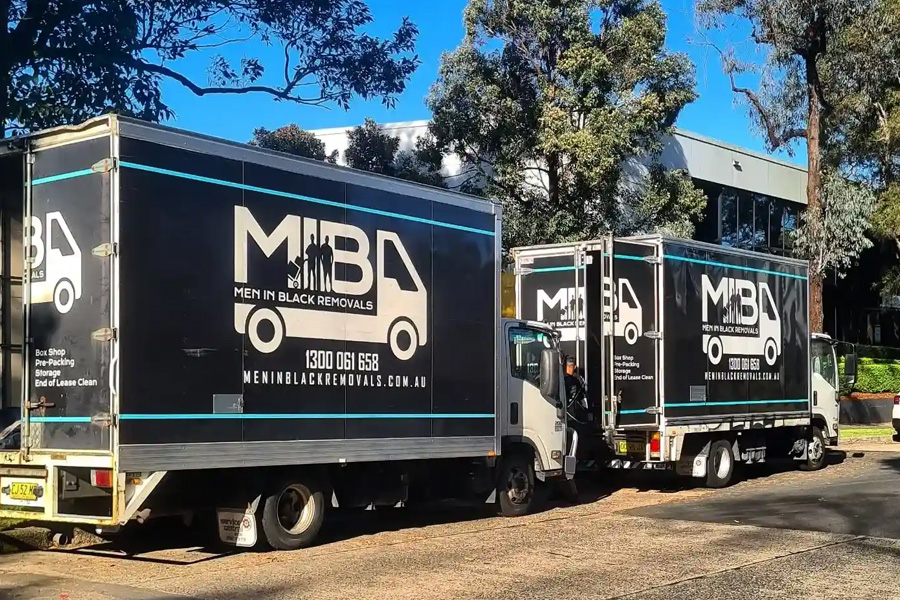
Office relocations go beyond the simple act of shifting desks and filing cabinets. One of the most difficult things to move is IT equipment. The computers, servers, monitors, networking devices, and communication systems are some of the core components required for businesses to function on a daily basis. A carefully planned move ensures the short downtime required in reinstallation while protecting this expensive equipment from being damaged.
If you have ever had to deal with planned office relocations in Sydney, knowing how your IT equipment is being handled can help your business get up and move as soon as possible or back on the floor.
Create an IT Relocation Plan
Successful office relocations start with strategy. Create inventory of assets: Businesses should make a list of all IT assets − be they physical or virtual − before anything is unplugged and then planned − how the same will be carried.
A relocation plan should include:
- Computers and laptops
- Monitors
- Servers
- Printers
- Network switches
- Phones and communication systems
The equipment should know where exactly it is supposed to go, so chances of missing out on something reduces.
Back Up Important Data
Data backup for business is at par with safeguarding the equipment as well.
Before moving day, businesses should:
- Back up critical files.
- Store data in secure cloud storage or external hard drives.
- Verify backups are complete.
- Document system configurations.
Better safe than sorry, and if some unexpected issues arise during the move you will feel safer as long as you have proper backups.
Disconnect and Label Everything
Proper labelling is one of the most effective ways to simplify the relocation process.
All cables, monitors, and computers should be labelled before they are disconnected. The labels allow you to reconnect equipment in the new office without confusing.
In advance of an installation, professional teams performing office relocations in Sydney will traditionally print colour-coded labels with corresponding workstation layouts to aid with setup once onsite.
Pack Equipment Carefully
IT hardware is prone to vibration and dust, and impact is another factor. They help prevent items from being damaged when they are being transported.
Professional movers commonly use:
- Anti-static wrapping
- Heavy-duty cartons
- Foam inserts
- Bubble wrap
- Moving blankets
- Secure packing tape
These materials serve to pad valuable hardware along the way.
Servers Require Extra Attention
The most critical component of your office equipment is its server. These applications help to manage very important business information and have to run day-to-day operations.
When relocating servers, professionals typically:
- Shut systems down correctly.
- Disconnect hardware carefully.
- Label all cables.
- Secure components at the time of transport.
- Move, install, and commission equipment in the new location.
And extra caution reduces the risk of equipment attrition or lengthy downtime.
Transport Equipment Securely
While in the transport, the IT equipment must be secured against unnecessary movement in a vehicle.
Organised movers in Sydney will apply right lifting devices and proper loading strategies to maintain computers, monitors, and networking hardware strapped down in the course of the transfer.
Precise handling lowers the risk of destruction and ensures devices reaches internet site ready to be installed.
Work with Experienced Office Movers
Commercial moves are much more complicated than a traditional move. They are trained on how to lay out an office and ensure your technology is protected and that valuable equipment can be moved safely and effectively during the office relocation.
Removalists in Sydney have been seen working with IT teams to ensure that office gadgets are packed, delivered, and uninstalled properly so that business can return to full operation without twists.
Final Thoughts
Most modern businesses are reliant upon IT equipment; thus, its safe relocation should always be a paramount priority during the office move process. Planning carefully, packing securely, labelling properly, and testing thoroughly will help keep a migration on track.
Whether you need to make big office moves in Sydney or get reliable removalists for your commercial relocation in Sydney, the best providers will ensure that you keep your tech protected, downtime in the first few days is at an absolute minimum, and you can hit the ground running from day one.